Azure SSO
A guide on how to configure Azure SSO
Overview
The tutorial below provides steps on how to configure Azure for SSO with OIDC.
How to Configure Azure for SSO with OIDC?
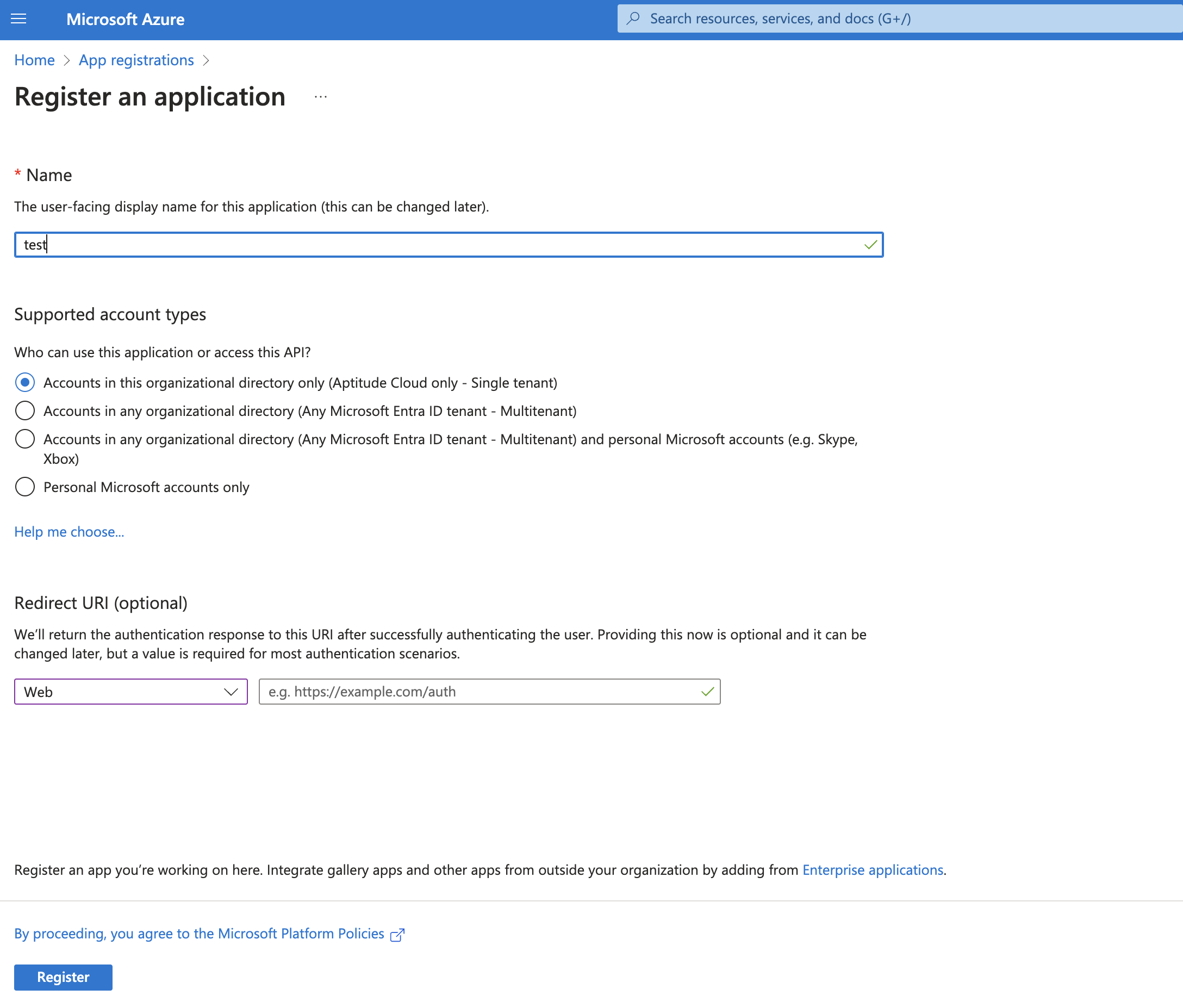
- In your Portal for Azure, go to App registrations > New registration.
- Provide the Name and click Register.
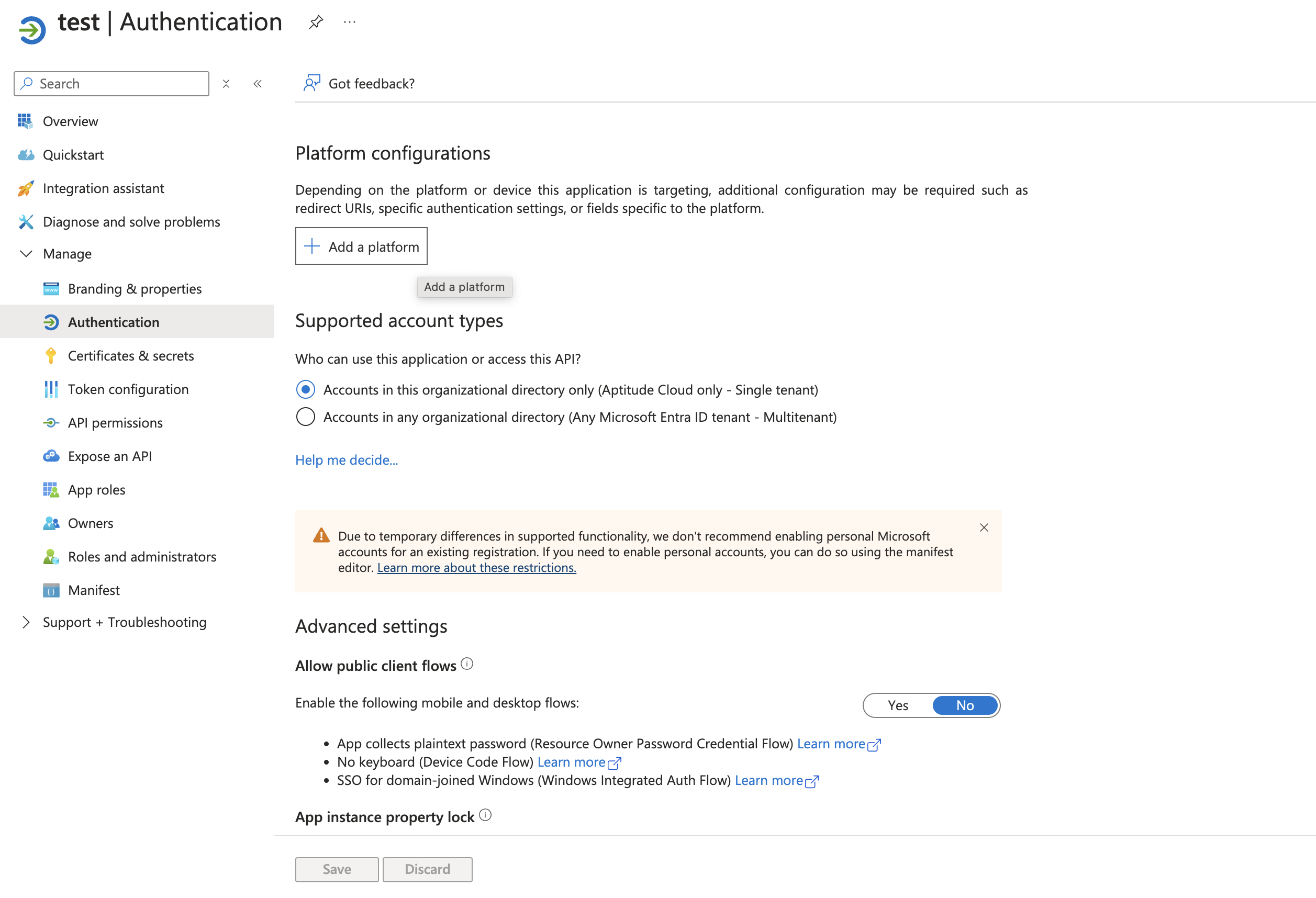
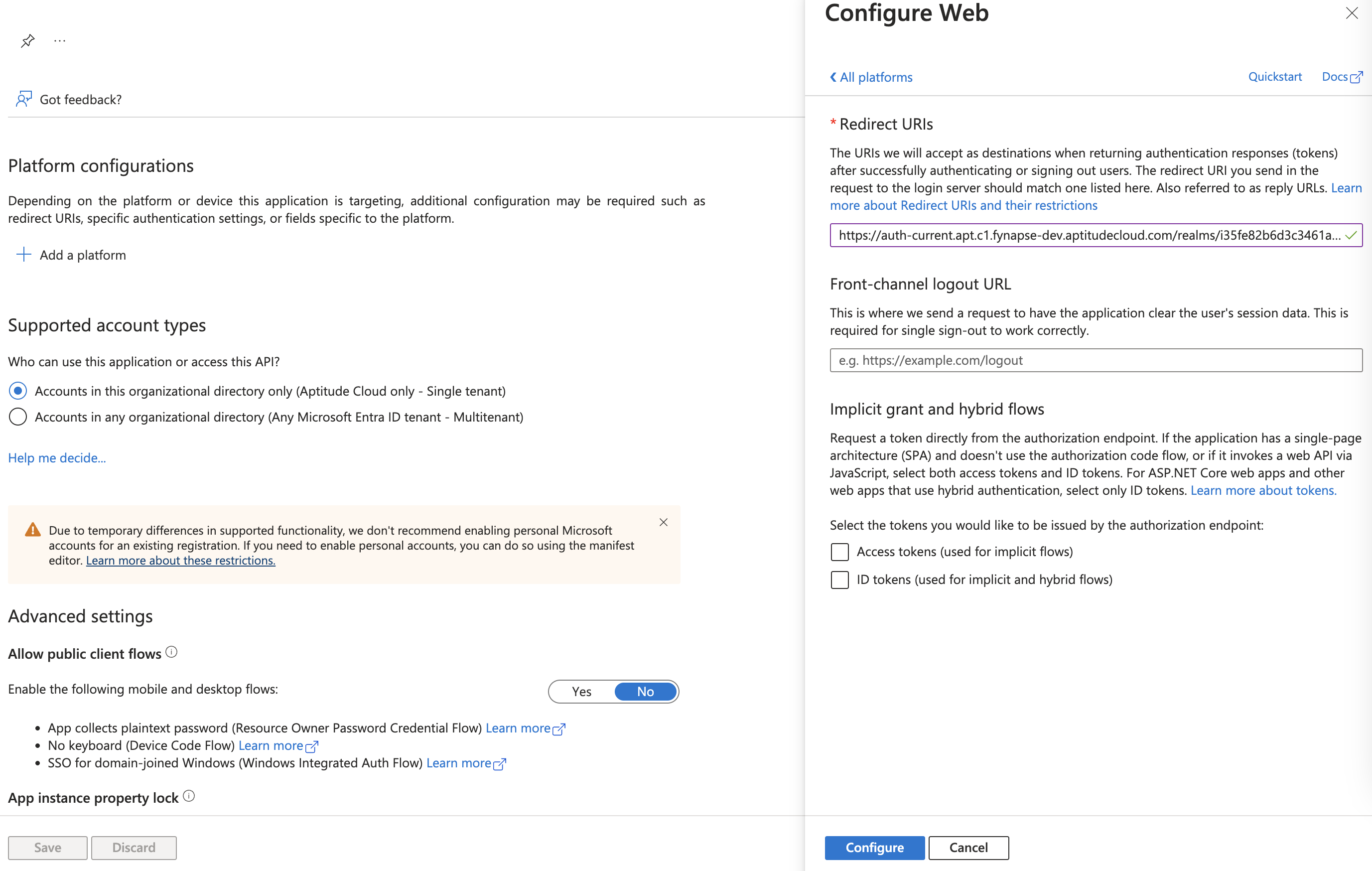
To add a redirect URI, go to Authentication and click Add a platform.
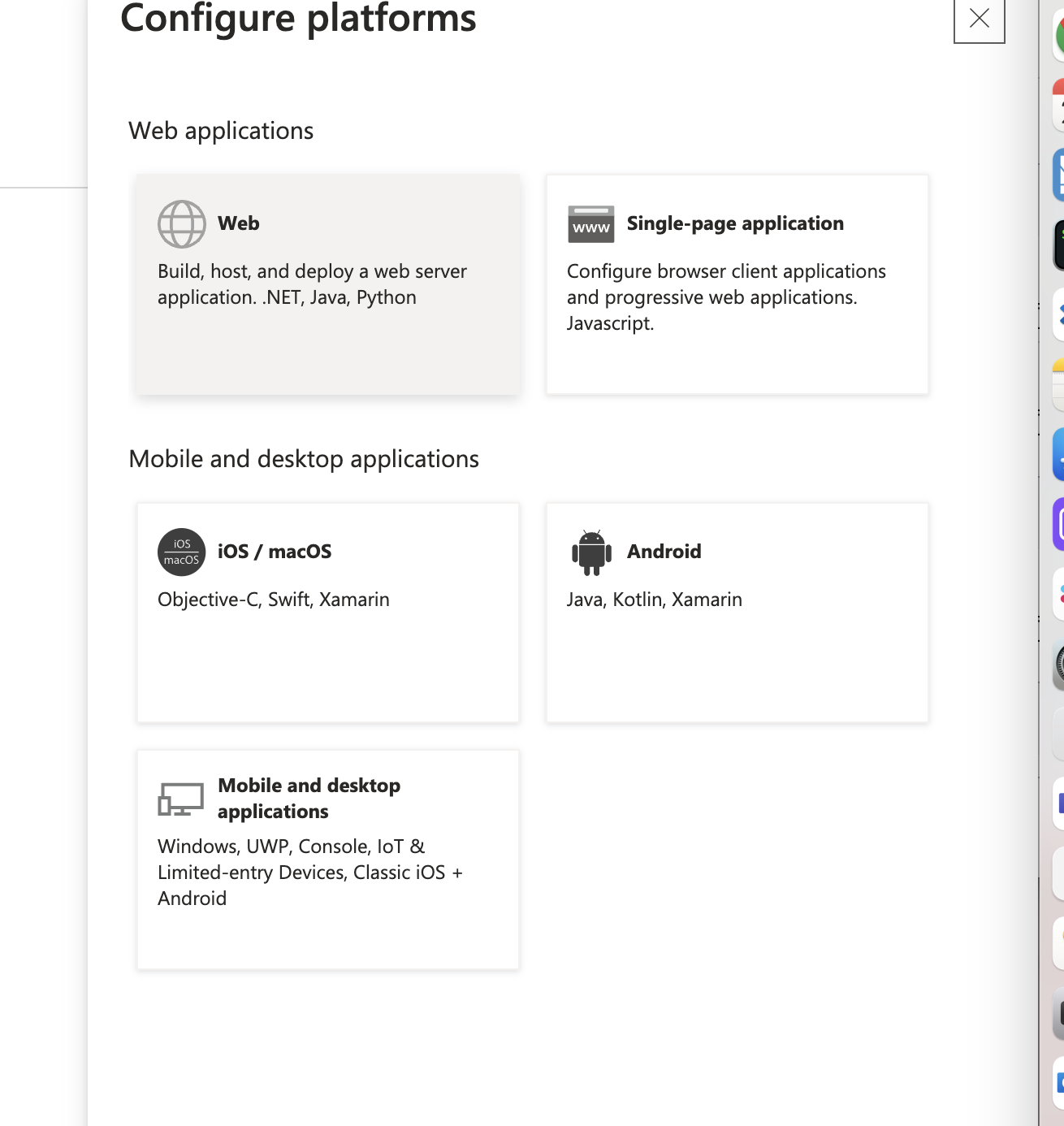
Select Web.
Provide a redirect URI and click Configure.
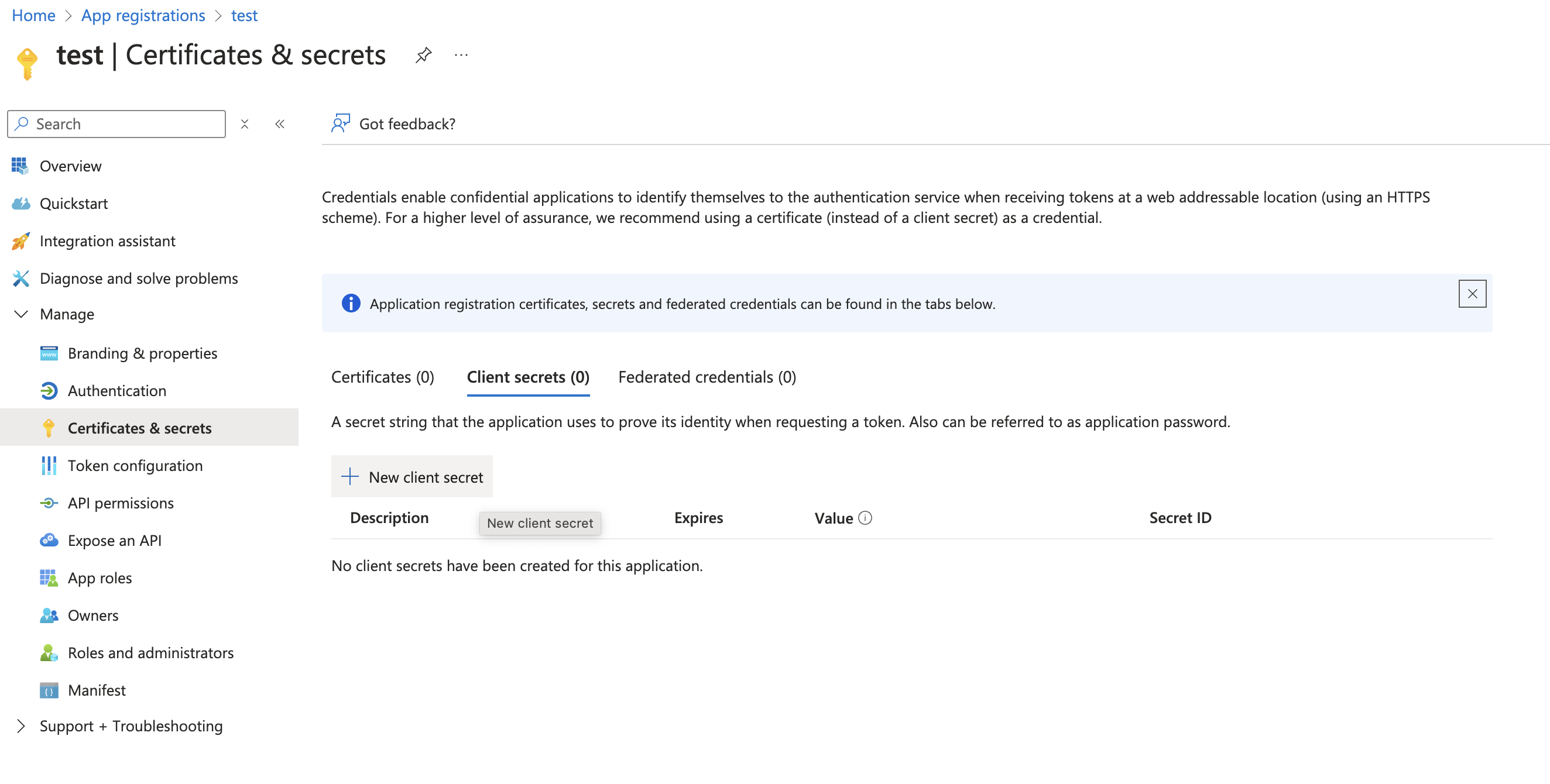
Generate a Client secret with an expiry date set to 1 year. After you generate the Client secret, save it, as you will need it for your ticket for Aptitude Software Support.
Remember, the client secret has to be provided via encrypted attachment sent separately.
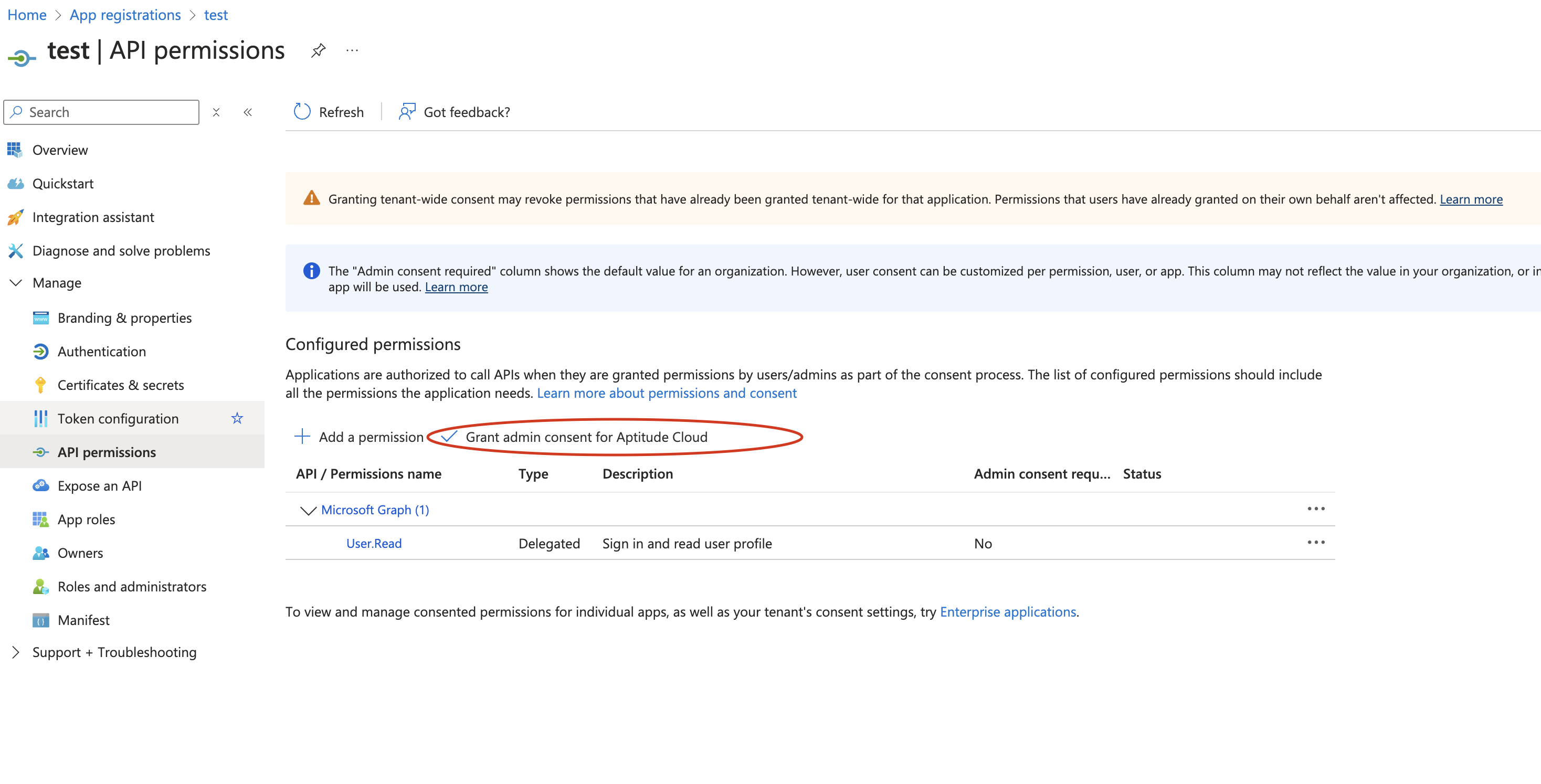
Go to API permissions and click Grant admin consent for Aptitude Cloud.