Custom Email Subscriptions

Create custom email subscriptions

Overview

Email subscriptions, similarly to webhooks, are a method of communicating a selected event, e.g. file ingestion or workflow approval request, occurred in Fynapse.

By default, Fynapse provides 10 email subscriptions for Approval Workflow events.

You can create custom email subscriptions for different Event Types using REST API endpoints.

Email subscriptions are released under a feature flag. Please note that when you enable the feature flag, it covers both the default and custom email subscriptions.

Email subscriptions are not available for balance.extracted event.

Email Subscriptions REST API Endpoints

MethodPathPurpose
GET/email-subscriptionsReturns a paginated list of existing email subscriptions.
GET/email-subscriptions/{id}Returns the details of a given email subscription identified by ID.
POST/email-subscriptionsCreates a new email subscriptions
DELETE/email-subscriptions/{id}Deletes an email subscription.
POST/email-subscriptions/{id}/activate | /deactivateEnables/disables a given email subscription identified by ID.
POST/email-subscriptions/by-name/{name}/activate | /deactivateEnables/disables a given email subscription identified by name.
PATCH/email-subscriptions/{id} \Partially updates an email subscription. Only fields present in the body are changed; an absent field or explicit null leaves the value untouched.

Template for a Custom Email Subscription

To create a custom email subscription you need to include the following subscription fields in the payload for the email-subscriptions endpoint:

FieldNotes
nameUnique name of the subscription).
eventTypes[]At least one; validated against the known event-type set. Balance events (balance.extracted) are rejected — email is not permitted for balances.
subjectEmail subject line; supports {{placeholder}} tokens filled from the event payload.
previewTextOptional inbox-preview text; also supports placeholders.
emailTemplateRequired HTML fragment (title / body / CTA). The doctype, <head>, wrapper, header logo and footer are added by the sender — subscriptions never store the full HTML document.
recipients[]Required, non-empty. Each entry is either a literal address or a token (see next).
descriptionFree text for admin UIs.

Different groups of Event Types have different data fields. If you want to create a subscription for multiple event types, we recommend pairing event types with similar data fields to ensure clarity of the generated messages.

Sample Payload

Sample 1

"name": "Request approved - Requestor",
"eventTypes": [
"workflow.approval.approved"
],
"subject": "Request approved, your request {{requestId}} has been approved",
"previewText": "This request has been approved",
"emailTemplate": "<p>This request has been approved.<p><br /><p>Request: {{requestId}},</p><p>Status: {{status}}</p><p>Approved by: {{approver}}</p><p>Approver comment: {{approverComment}}</p><p>Approved on: {{transitionTime}}</p>",
"recipients": [
"{{u::requestor}}"
],
"description": "Notification email to requestor when their request has been approved."
}

Sample 2

{
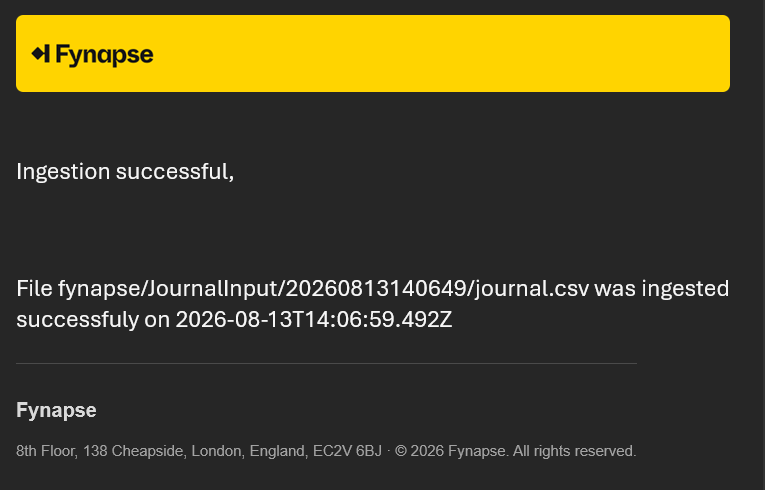
"name": "Ingestion successful",
"eventTypes": [
"ingestion.processing.succeeded"
],
"subject": "File {{ingestionId}} ingested",
"previewText": "File was successfuly ingested",
"emailTemplate": "<p>Ingestion successful,</p><br /><p>File: {{ingestionId}} was ingested successfuly</p><p>Completed on: {{finishedOn}}</p>",
"recipients": [
ops@example.com
],
"description": "Notification email informing file ingestion was successful."
}

Recipient Token Grammar

Each entry in recipients[] is one of:

  • Literal — e.g. ops@example.com. Sent as-is.
  • User{{u::<payload-field>}}, e.g. {{u::requestor}}. The field’s value (user id/username from the payload) is resolved to an email address via the identity service at send time.
  • Group{{g::<payload-field>}}, e.g. {{g::approverGroup}}. The field’s value (group name) is resolved and expanded to every member’s address at send time.

Missing payload fields or unresolvable users/groups cause that recipient to fail into the delivery audit rather than block the batch.

Rendering

  • The contents of the payload are wrapped in a graphic design provided by Fynapse.
  • Every email is auto-converted to a plain-text alternative for clients that don’t render HTML.
  • Transport: SMTP via SendGrid.
  • The default From address is no-reply@fynapse.aptitudecloud.com (env-dependent).

Sample Email

Example 1
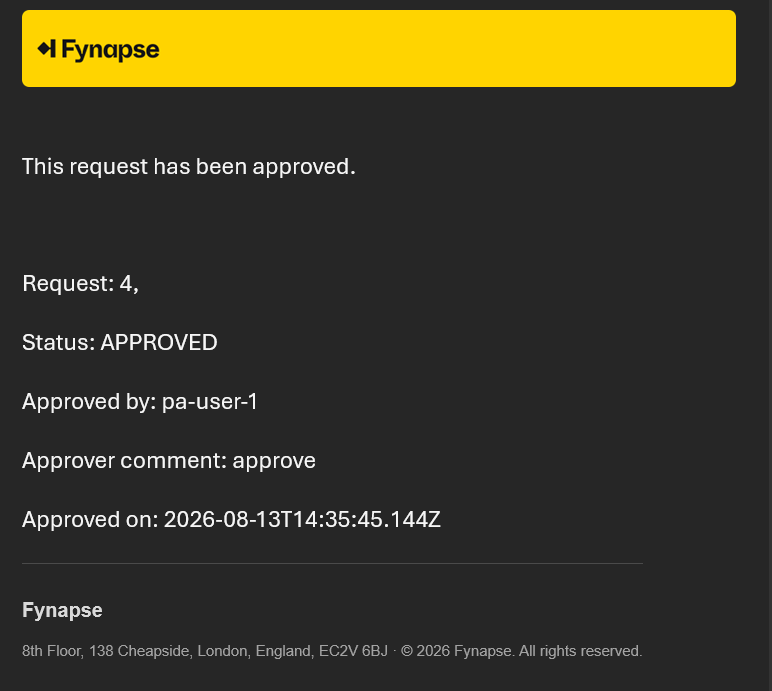
Sample_notification

Example 2

Sample_notification2