2025.1.1
Flow
This includes several enhancements to the Flow functionality.
Please note that the enhancements to the Flow functionality are accompanied by significant changes to the underlying data model. This means that the majority of existing Flows in an Active status will stop working and will be moved to the new Invalid status after the upgrade. If a Flow didn’t use any List type attributes in the source or used one List type attribute in the source, the Flow with be automatically updated and the contextMapping property will be added. If a Flow had more than one List type attribute defined in source it will become Invalid. If you want to keep your existing Flows, you will have to update them manually after the upgrade. To do that you need to go to an Invalid Flow and start editing it. This will trigger creating a new version of the Flow in a Draft status. Then you can work the Flow as you would on any other Draft Flow. This new Flow will be subject to updated validations, compliant with the new data model. If you do not want to update the Invalid Flows, you can leave them in the Invalid status or move them to the Archived status.
Data Model Changes in Flow
We implemented changes in the Flow data model. Previously, you were not able to use List attributes when configuring Flow targets. Now, you can create targets which have List type attributes.
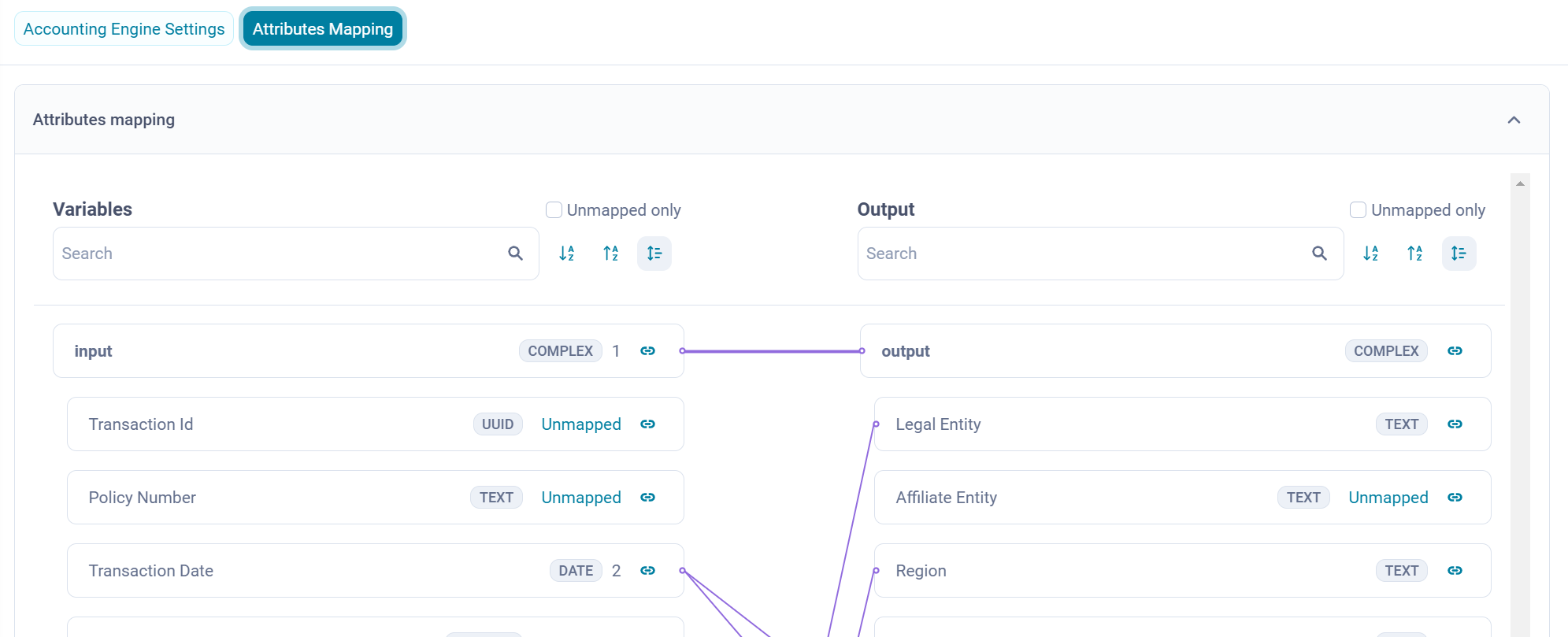
Another change arising from this implementation is the requirement to map the data source, which can constitute the composite of the outputs of previous steps in the Flow, to the output of a given step. For a flat structure this can be a simple mapping between input and output:
or a more complex one using hierarchical structure of List type attributes, e.g in the new Journal Import step:
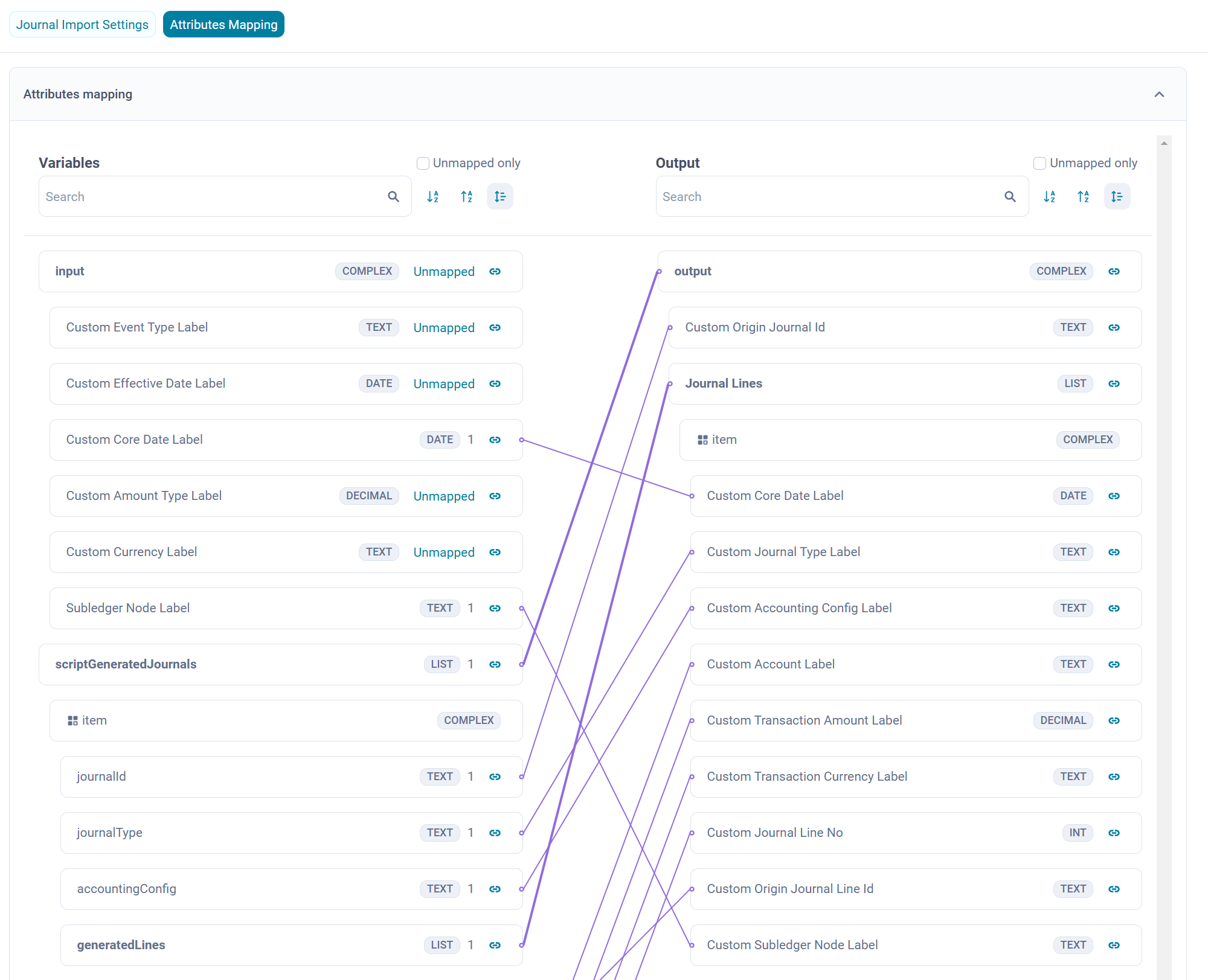
Journal Import Step
The new Journal Import step allows you to configure Journals as targets in your Flow. Journals generated in this step are stored in the JournalInput Entity, similarly to Journals ingested directly into Fynapse. The Journal Import step can be preceded by the Script step which allows you to transform raw Transactional Entities, e.g. by assigning Posting Components, Accounts etc., which is usually performed by the Accounting Engine and has to be succeeded by the Journal Processor step which posts the Journals into the Subledger.
This new step provides more flexibility in the design of your data flow.
New Status for Flows
As part of the data model enhancement, we implemented a new Invalid status. All Flows which were in the Active status prior to the upgrade will be automatically moved to the Invalid status.
For more details, refer to Flow Screens.
New Validations
We enhanced the list of validations performed on Flows to ensure they are compliant with the new data model. The updated list is available in the Flow Validations article.
Bulk Operations
A new contextMapping field, which allows you to set cardinality and adjust validation to expected so that you will be able to process data with hierarchical structure, was added to the Flow section in Configuration Data JSON file.
If a Flow did not use any List type attributes in the source or used one List type attribute in the source, the Flow with be automatically updated and the contextMapping property will be added to the Configuration Data JSON file downloaded after the upgrade. It will also be possible to upload a Configuration Data JSON file without the contextMapping field. If a Flow had more than one List type attribute defined in source it will become Invalid. Invalid Flows will not be downloaded in the Configuration Data JSON file. Attempts to upload a Configuration Data JSON file without the contextMapping field will in this case result in an error.
For more details about the new Configuration Data JSON file structure, refer to Flow in Bulk Operations.
Extraction Logs - New Statuses for the Target Status
We implemented a mechanism that will try to generate a manifest receipt file when an extract file was uploaded successfully but the manifest receipt file was not created. To monitor the process, you can see two new Target statuses in the Extraction Logs grid, that is:
- Pending manifest - informing that generation of a manifest receipt file is in progress
- Missing manifest - informing that generation of the manifest receipt file failed. The system will try to generate the manifest file again.
For more details, refer to Extraction Logs.
Resolved Issues
Fynapse: Errors in error screen not being closed (ASD-36275)
A workaround for the issue has been implemented. The Status column on the Errors screen in Error Management has been hidden.

